

Why Learning How to Build a Website Matters
In today’s digital age, knowing how to build a website is a valuable skill—whether you’re a small business owner, a freelancer, or someone with a passion to share. A professional website can help you reach a global audience, establish credibility, and even generate income.
But if you’re a beginner, the process can feel overwhelming. That’s why this guide breaks down how to build a website into simple, actionable steps. By the end, you’ll have the confidence and knowledge to create a website that looks great, functions smoothly, and attracts visitors.

Step 1: Define Your Website’s Purpose and Goals
Before diving into the technical aspects of how to build a website, it’s crucial to define what you want to achieve.
Ask Yourself:
- What is the main purpose of your website? (e.g., blog, online store, portfolio, business site)
- Who is your target audience?
- What actions do you want visitors to take? (e.g., buy a product, subscribe, contact you)
Pro Tip: Write down your goals. This clarity will guide every decision as you learn how to build a website from scratch.
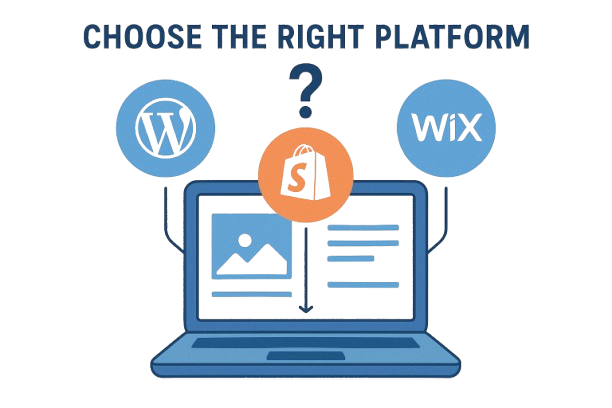
Step 2: Choose the Right Platform to Build Your Website
Selecting the right platform is a critical step in how to build a website. Here are the most popular options:
Website Platforms Compared
- WordPress
- Best for: Blogs, business sites, e-commerce
- Ease of use: Moderate
- Cost: Free (hosting costs apply)
- Why choose it? Most flexible and widely used, powering over 40% of all websites.
- Wix
- Best for: Portfolios, small business sites
- Ease of use: Easy
- Cost: Free plan available
- Why choose it? User-friendly, drag-and-drop builder, great for beginners.
- Shopify
- Best for: Online stores
- Ease of use: Easy
- Cost: Paid plans start at $29/month
- Why choose it? Everything you need to sell online, all in one place.
- Squarespace
- Best for: Creative portfolios, professional sites
- Ease of use: Easy
- Cost: Paid plans start at $12/month
- Why choose it? Beautiful templates and design-focused features.
Pro Tip: If you want full control and scalability, WordPress is the best choice for learning how to build a website. For quick setup, Wix or Squarespace are excellent alternatives.
Step 3: Pick a Domain Name and Hosting Provider
Choosing a Domain Name

Your domain name is your website’s address (e.g., yoursite.com). When learning how to build a website, pick a name that’s:
- Short and memorable
- Relevant to your brand or content
- Easy to spell and pronounce
Tools to Find a Domain:
- Namecheap
- GoDaddy
- Google Domains
Selecting a Hosting Provider
Web hosting stores your website’s files and makes it accessible online. For beginners, shared hosting is affordable and sufficient.
Top Hosting Providers:
- Bluehost (Recommended for WordPress)
- SiteGround
- Hostinger
Pro Tip: Many hosting providers offer a free domain for the first year, making it easier to start building your website.

Step 4: Design Your Website for Success
Design plays a huge role in how visitors perceive your site. Here’s how to design a website that stands out:
Choose a Responsive Theme
A responsive theme ensures your site looks great on all devices. Most platforms offer free and premium themes.
Customize Your Site
- Colors and Fonts: Stick to a consistent color scheme and readable fonts.
- Navigation: Make it easy for visitors to find what they need.
- Visuals: Use high-quality images and videos to enhance engagement.
Pro Tip: Keep your design clean and clutter-free. A well-organized site improves user experience and SEO.
Step 5: Create Essential Pages and Content
Every website needs a few key pages:
Must-Have Pages
- Homepage: Introduce your brand and guide visitors to other sections.
- About Page: Share your story and build trust.
- Contact Page: Make it easy for people to reach you.
- Blog/News Section: Regularly updated content keeps visitors coming back.
Content Tips:
- Write clear, concise, and engaging copy.
- Use headings, bullet points, and images to break up text.
- Include calls-to-action (CTAs) like “Sign Up” or “Buy Now.”
Step 6: Optimize Your Website for SEO
SEO (Search Engine Optimization) helps your site rank higher in search results, making it easier for people to find you when they search for how to build a website or related topics.
SEO Best Practices
- Keyword Research: Use tools like Google Keyword Planner to find relevant keywords.
- On-Page SEO: Optimize titles, meta descriptions, and headings with your focus keyword.
- Mobile-Friendly Design: Google prioritizes mobile-friendly sites.
- Fast Loading Speed: Use caching plugins and optimize images.
Pro Tip: Install an SEO plugin like Yoast SEO (for WordPress) to guide your optimization efforts.

Step 7: Test, Launch, and Maintain Your Website
Testing Your Website
Before launching, test:
- Functionality: Check all links, forms, and buttons.
- Speed: Use Google PageSpeed Insights to identify improvements.
- Compatibility: Ensure your site works on different browsers and devices.
Launching Your Website
Once everything is ready, hit the publish button! Congratulations, your website is live.
Maintaining Your Website
- Regular Updates: Keep your platform, themes, and plugins up to date.
- Backup Your Site: Use plugins or your hosting provider’s backup service.
- Monitor Performance: Use Google Analytics to track visitors and behavior.

Common Mistakes to Avoid When Building a Website
- Ignoring Mobile Users: Over 50% of web traffic comes from mobile devices.
- Poor Navigation: Confusing menus frustrate visitors.
- Slow Loading Times: Optimize images and use caching.
- Neglecting SEO: Without SEO, your site may not rank well in search results.
- Overcomplicating Design: Keep it simple and user-friendly.
FAQs About How to Build a Website
Q: How much does it cost to build a website? A: Costs vary. A basic site can cost as little as $50/year (domain + hosting), while a custom-designed site can run into thousands.
Q: Do I need to know coding to build a website? A: No! Platforms like WordPress, Wix, and Squarespace allow you to build a website without coding.
Q: How long does it take to build a website? A: A simple site can be up in a few hours, while a more complex site may take weeks or months.
Q: Can I build a website for free? A: Yes, platforms like Wix and WordPress.com offer free plans, but with limitations.

Conclusion: Your Website is Ready!
Learning how to build a website is an empowering journey. By following this guide, you’ve taken the first steps toward creating a professional online presence. Remember, your website is a work in progress—keep improving, testing, and updating to stay ahead.
Ready to start? Pick a platform, register your domain, and begin building your dream website today!
Final Thought: The internet is full of opportunities. With the right tools and knowledge, anyone can learn how to build a website like a pro. What kind of website are you planning to create? Share your goals in the comments!
To get in touch with us, Click Here.